


Surface Go Battery Replacement Service
Model Numbers: Surface Go: 1824 (Wi-Fi), 1825 (LTE) • Surface Go 2: 1901, 1926, 1927 (LTE) • Surface Go 3: 1901, 1926, 2022 (LTE) (printed under the kickstand)
Turnaround: Same day in Mission Viejo, CA • same day as arrival for mail-in
Availability: In Stock
Microsoft Surface Go Battery Replacement
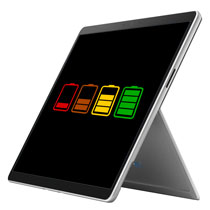
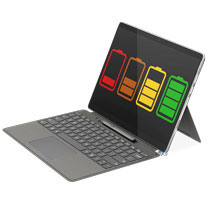
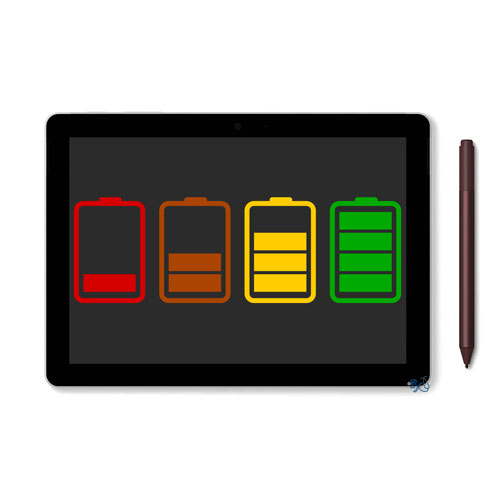
This repair service will replace the battery on your Surface Go. We are able to do this repair for the Surface Go 1, 2 or 3. This repair will also fix issues related an aging battery. The Surface Go 1 is equipped with a 26.12 watt-hour, 7.66V lithium-ion battery. It is listed at approximately 3,411 mAh. The Surface Go 2 and Surface Go 3 battery is 26.81 watt-hour and 3,500mAh. Over time, you may notice a decline in battery life compared to when you first bought it. Your device may only last a few hours rather than getting you through most of the day. You might find yourself frequently tethered to the charger so your Surface Go doesn't run out of juice. Your device might also turn off as soon as it is unplugged from the power cable. A new battery should fix these problems.
Warning Signs:
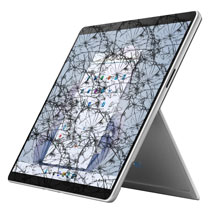
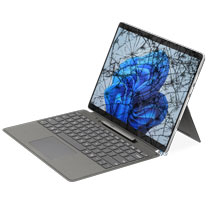
If your Surface Go screen is bulging, especially near the bottom or left side of the device, it is likely due to the battery ballooning. If your battery is expanding and pushing up the screen, get it replaced as soon as possible because it could potentially be dangerous. Note: If your screen is cracked, we will not be able to do this repair at this cost as the screen would also need to be replaced. Please call us if this is the case to place an order or choose the screen + battery option at checkout.
Ship your Surface Go to us from anywhere in the US!
Simply buy the Surface Go battery replacement repair using a credit card or PayPal using the "Buy Now" button above, ship your Surface Go to us, and we'll take care of the rest! Most devices get fixed the same day they arrive. We also cover return shipping to you for free via standard shipping. If you need expedited 2-day return shipping, you have that option above for an additional fee. Shipping instructions can be found on the bottom of any page on our website under customer service.
Get your Surface Go repair done the same day in Orange County, CA!
This Surface Pro repair typically can be done in one business day. Feel free to come to our physical store in Mission Viejo if you are close by. Just call to schedule an appointment.
Let our experienced technicians fix your device.
Our technicians have done over 30,000 mobile device repairs so your Surface Go is in good hands.
Troubleshooting your Surface Go battery
- If you're having battery life issues, make sure it's not software related first:
- Update your device while it has at least 40% or more battery life and is connected to a power source.
- Click Start > Settings > Update and Security > click Windows Update
- Make sure you install the latest firmware update and software.
- Check your background apps and make sure there aren't a bunch of things running
- Go to Settings from the Start menu > Click Privacy > click on the Background apps tab
- If you see a bunch of apps running, that may shorten your battery life
- Turn off the apps that you don't want running in the background
- If you've made sure it's not software that's killing your battery life, chances are that it's the hardware. Sometimes the only fix for an old battery is to replace it which you can do by purchasing this repair.
Surface Go Battery Replacement FAQ
How much does a Surface Go Battery Replacement cost?
The Surface Go Battery Replacement at RxTech Repair is $259, including parts and labor. Mail-in repairs include free standard return shipping.
How long does a Surface Go Battery Replacement take?
Local repairs at our Mission Viejo, CA shop are usually done the same day. Mail-in repairs are usually fixed the same day they arrive and are sent back with free standard shipping, or faster with expedited return shipping.
Can I mail in my Surface Go 1, 2 or 3 for repair?
Yes. Buy the repair on this page, ship your Surface Go 1, 2 or 3 to RxTech Repair from anywhere in the US using USPS, UPS or FedEx, and we'll repair it and ship it back to you. See our shipping directions.
When should I replace my Surface Go 1, 2 or 3 battery?
Replace the battery if it only lasts an hour or two, drains quickly, won't charge, the device shuts off when unplugged, or the screen is lifting or bulging from a swollen battery. A swollen battery can be dangerous, so stop using the device and get it replaced right away.
Will I lose my data with a battery replacement?
No. A battery replacement doesn't touch your storage, so your files and apps stay on the device. We still recommend backing up important files before any repair.
Which Surface Go 1, 2 or 3 models does this repair work on?
This repair works on Surface Go 1, 2 or 3 model numbers 1824, 1825, 1901, 1926, 1927, 2022. The model number is printed on the device; on Surface Pro and Surface Go it's under the kickstand.