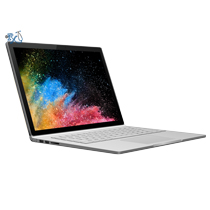


Surface Book 1 & 2 Keyboard Battery Replacement Service
Surface Book 1 Model Numbers: 1703
Surface Book 2 Model Numbers: 1832 (keyboard base labeled 1834 or 1835)
Battery Location: Keyboard base
Turnaround: Same day in Mission Viejo, CA • 1-2 days for mail-in
Availability: In Stock
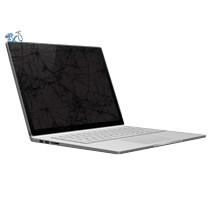
Microsoft Surface Book 1 & 2 Keyboard Battery Replacement
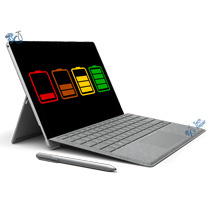
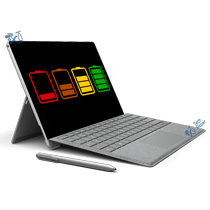
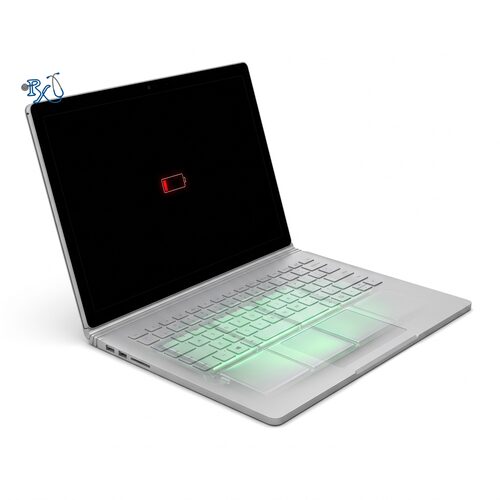
This repair service will replace the keyboard base battery on your Surface Book 1 or 13.5" Surface Book 2. The Surface Book has two batteries: a small one in the detachable tablet behind the screen, and a larger one built into the keyboard base under the keyboard and trackpad. The keyboard battery holds most of the Surface Book's battery capacity, so when it wears out your overall battery life drops sharply, even if the tablet battery is still healthy. It is compatible with Surface Book 1 model 1703 and Surface Book 2 13.5" model 1832, with or without the NVIDIA graphics card in the base. Signs your Surface Book keyboard battery needs to be replaced include battery life of only an hour or two with the screen attached, the Surface Book dying quickly or shutting off unexpectedly unless it's plugged in, the base battery stuck at 0% or not charging, or the tablet no longer charging from the keyboard. If your trackpad has stopped clicking, the keyboard deck or trackpad is raised, or the Surface Book rocks on a flat table, the keyboard battery is most likely swelling. A swollen battery can be dangerous, so stop using and charging the device and get it replaced as soon as possible.
Same-day Surface Book keyboard battery replacement in Orange County, CA
If you're local, we can usually replace your Surface Book keyboard battery the same day at our repair shop in Mission Viejo. Call or text (949) 903-6452 to schedule a time to drop it off.
Mail-in Surface Book keyboard battery replacement from anywhere in the US
Not in Orange County? Simply buy the repair using the button below the price above, ship your Surface Book to us, and we'll take care of the rest! Most devices are fixed 1-2 days after they arrive, and we cover return shipping to you for free via standard shipping. Shipping directions can be found on the bottom of any page in our website under Customer Service > Shipping. We accept shipments from USPS, UPS and FedEx.
Is it the tablet battery or the keyboard battery?
If your Surface Book dies quickly only when the screen is detached, the tablet battery is the problem; see our Surface Book tablet battery replacement. If battery life is short with the screen attached, the base won't charge, or the trackpad or keyboard area is bulging, the keyboard battery is the problem. Not sure? Call or text us and we'll help you figure it out.
Let our experienced technicians fix your device.
Our technicians have done over 30,000 mobile device repairs so your Surface Book is in good hands. Every repair is backed by our warranty on both parts and labor.
Troubleshooting your Surface Book keyboard battery?
Try these quick tips before bringing your Surface Book in:
- Check the battery health: Open Command Prompt and type powercfg /batteryreport. Open the report it creates and look at the two batteries listed. The keyboard battery is the one with the larger "Design Capacity". If its "Full Charge Capacity" is well below its design capacity, the keyboard battery is worn out.
- Reseat the screen: Press the detach key, remove the screen, then reattach it firmly until it clicks. A poor connection between the screen and the base can stop the keyboard battery from charging or being detected.
- Charge through the keyboard base: Plug the charger into the Surface Connect port on the keyboard base, not the tablet, and leave it charging for at least an hour with the screen attached.
- Force a restart: Press and hold the power button for 20 seconds until the Windows logo appears, then let go. This can clear a base battery that appears stuck at a certain percentage.
- Update your Surface Book: Install the latest Windows Updates, which include Surface firmware and drivers that manage charging between the keyboard and tablet batteries.
- Watch for swelling: If the trackpad won't click, the keyboard is raised, or the base no longer sits flat, stop using and charging the device and bring it in right away.
Surface Book Keyboard Battery Replacement FAQ
How much does a Surface Book keyboard battery replacement cost?
The Surface Book 1 and Surface Book 2 13.5" keyboard battery replacement is $249, including parts, labor and free standard return shipping for mail-in repairs.
How long does it take?
Local repairs at our Mission Viejo shop can usually be done the same day. Mail-in repairs are usually completed within 1-2 days of arriving.
Will I lose my data?
No. Replacing the keyboard battery does not touch the storage, which is in the tablet section. We still recommend backing up your files before any repair.
Can a swollen Surface Book keyboard battery be fixed?
Yes. A swollen keyboard battery is replaced with a new one. In most cases the trackpad and keyboard work normally again once the swollen battery is removed.