


Surface Go Screen replacement Service

Model Numbers: Surface Go: 1824 (Wi-Fi), 1825 (LTE) • Surface Go 2: 1901, 1926, 1927 (LTE) • Surface Go 3: 1901, 1926, 2022 (LTE) (printed under the kickstand)
Turnaround: Same day in Mission Viejo, CA • same day as arrival for mail-in
Availability: In Stock
Microsoft Surface Go Screen Repair
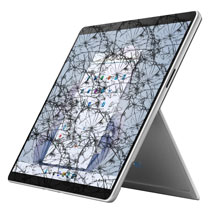
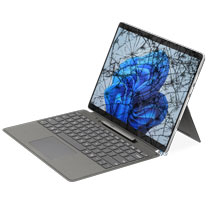
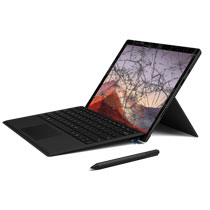
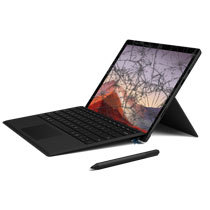
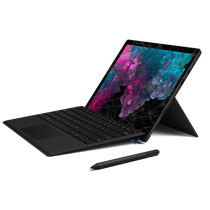
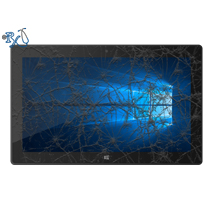
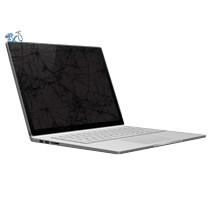
This repair service will fix the cracked glass screen or LCD on your Surface Go 1, 2 or 3. This repair will fix issues related to the touchscreen after cracking the glass. This is because the digitizer which is responsible for touch will also get replaced during this repair. Microsoft has packed in a 1,920 x 1,280 PixelSense display into the Surface Go. Cracks in the screen from a drop can get in the way of viewing the picture, writing, or worse may actually hurt you if a rogue glass shard gets stuck in your finger. There also may be a damaged image or no image at all if the LCD is broken. This screen repair will fix the shattered glass screen, digitizer and LCD all at the same time. However, it will not replace the back housing or chassis. Sometimes damage from a drop can also damage the back casing the display sits in. Normally we can repair small bends at no additional cost and often it's necessary to get the display to fit. However for larger bends don't hesitate to send us a picture for consideration.
Ship your Surface Go to us from anywhere in the US!
Simply buy the repair using a credit card or PayPal using the "Buy Now" button above, ship your Surface Go to us, and we'll take care of the rest! Most devices get fixed the same day they arrive. We also cover return shipping to you for free via standard shipping. If you need expedited 2-day return shipping, you have that option above for an additional fee.
Get your Surface Pro repair done the same day in Orange County, CA!
This Surface Go repair typically takes about 2-3 hours with an appointment. Feel free to come to our physical storefront in Mission Viejo if you are close by.
Let our experienced technicians fix your device.
Our technicians have done over 30,000 mobile device repairs so your Surface Go is in good hands.
Troubleshooting your Surface Go
- If you can't see the display at all after a drop due to a damaged LCD, try the following:
- Connect your Surface Go to a monitor or TV using the USB-C port. You may need a USB-C to HDMI adapter if your external monitor takes HDMI input such as most TVs.
- Press the "Windows Key" + the letter "P" simultaneously.
- Then press the down arrow three times.
- This will change the display to show on the external monitor. You can use your Surface Pro 9 this way
- This is also a good time to back up any important files you may have on the device.
How to tell which Surface Go model you have:
The easiest way to tell is to look at the Surface App. Look for "Surface" in your Start Menu. Find your device. It should show your Surface Pro model name under "Device information."
Surface Go models:
Surface Go 1: 1920x1280p resolution, 10.6" screen, the model number is 1824 (or 1825 for LTE) under the kickstand and it comes in a Platinum finish. Processor: Intel Pentium Gold 4415Y or Intel Core m3-8100Y
Surface Go 2: 1920x1280p resolution, 10.5" screen, the model number is 1901 or 1926 (or 1927 for LTE) under the kickstand and it is available in Platinum, Ice Blue, and Sandstone finishes. Processor: Intel Pentium Gold 4425Y or Intel Core m3-8100Y.
Surface Go 3: 1920x1280p resolution, 10.5" screen, the model number is 1901 or 1926 (or 2022 for LTE) under the kickstand and it comes in Platinum, Ice Blue, Sandstone, and a new Matte Black finish. Processor: Intel Pentium Gold 6500Y or Intel Core i3-10100Y.
Surface Go Screen Replacement FAQ
How much does a Surface Go Screen Replacement cost?
The Surface Go Screen Replacement at RxTech Repair is $249, including parts and labor. Mail-in repairs include free standard return shipping.
How long does a Surface Go Screen Replacement take?
Local repairs at our Mission Viejo, CA shop are usually done the same day. Mail-in repairs are usually fixed the same day they arrive and are sent back with free standard shipping, or faster with expedited return shipping.
Can I mail in my Surface Go 1, 2 or 3 for repair?
Yes. Buy the repair on this page, ship your Surface Go 1, 2 or 3 to RxTech Repair from anywhere in the US using USPS, UPS or FedEx, and we'll repair it and ship it back to you. See our shipping directions.
What does a Surface Go 1, 2 or 3 screen replacement fix?
It fixes cracked or shattered glass, touch or pen input that doesn't work, and display problems such as lines, flickering, dead spots or a black screen. The glass, touch digitizer and display are replaced together.
Will I lose my data with a screen replacement?
No. A screen replacement doesn't touch your storage, so your files and apps stay on the device. We still recommend backing up important files before any repair.
Which Surface Go 1, 2 or 3 models does this repair work on?
This repair works on Surface Go 1, 2 or 3 model numbers 1824, 1825, 1901, 1926, 1927, 2022. The model number is printed on the device; on Surface Pro and Surface Go it's under the kickstand.