


Surface Go Repairs
Listed below are the repairs we currently offer for the Microsoft Surface Go. You can identify which Surface Go you have by right-clicking Start, then selecting Settings > System. Scroll down and select About. The top of the window will give you Surface model information. If the screen isn't working, you can also check on the back side of the kickstand; the model number will be 1824 or 1825 for the Surface Go 1, 1901, 1926 or 1927 for the Surface Go 2 and 3.
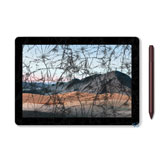
The most common repair we offer for the Surface Pro Go is the cracked screen repair, which includes the digitizer (responsible for touch and pen input) and the LCD (responsible for displaying the image). Below, the individual repair will apply to all 3 models we fix. Choose the type or repair, and on checkout, choose your Surface Go model (1-3). If you'd like to fix your Surface Go, we can help!